当我们开始构建越来越大型的应用时,需要处理的 JavaScript 代码量也呈指数级增长。包含数千个模块的大型项目相当普遍。这个时候我们会遇见性能瓶颈使用 JavaScript 开发的工具通常需要很长时间(甚至是几分钟!)才能启动开发服务器,文件修改后的效果也需要几秒钟才能在浏览器中反映出来。如此循环往复,迟钝的反馈会极大地影响开发者的开发效率和幸福感。Vite就是为了就解决这个问题法语Vite(轻量,轻快)vite 是一个基于单文件组件的非打包开发服务器,它做到了本地快速开发启动、实现按需编译、不再等待整个应用编译完成的功能作用。1==>速度快: Vite使用esbuild 预构建依赖(Esbuild 使用 Go 编写), 比 JavaScript 编写的预构建依赖快 10-100 倍2==>按需提供源码: Vite只需要在浏览器请求源码时,进行转换并按需提供源码。根据情景动态导入代码,即只在当前屏幕上实际使用时才会被处理。1. yarn create vite [创建项目]2. 输入项目名[vitevue3ts]3. 选择使用的js框架vue4. 使用使用ts 选择vue-ts5. cd vitevue3ts6. npm install7. npm run dev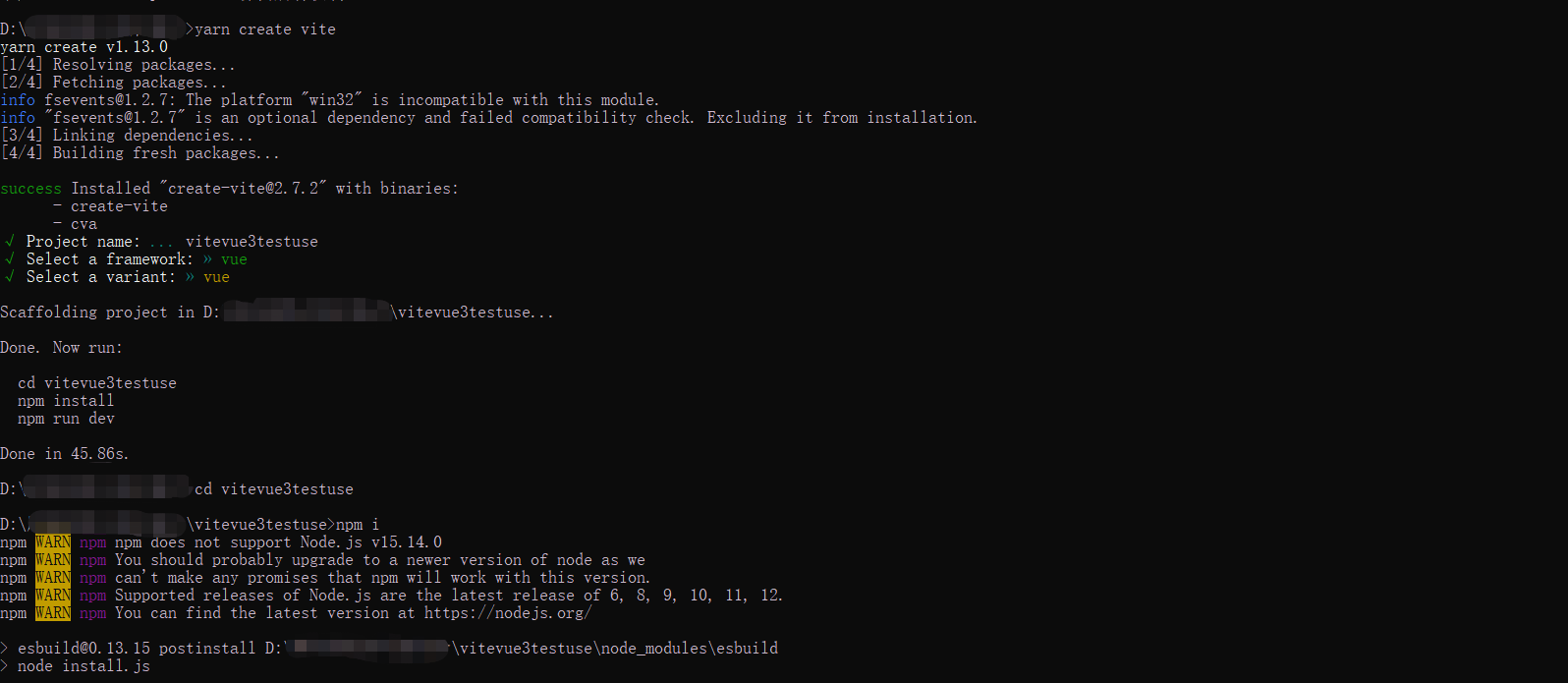
import { defineConfig } from 'vite'import vue from '@vitejs/plugin-vue'// https://vitejs.dev/config/export default defineConfig({ plugins: [vue()], // 自动打开浏览器 server: { host: '0.0.0.0', //通过ip的形式访问 port: 8080, //端口号 open:true, //自动打开浏览器 //配置代理,但是我步推荐前端去代理, //因为打包后便不会在有代理,上线后是个坑 proxy: { '/api': { target: 'http://API网关所在域名', changeOrigin: true, rewrite: (path) => path.replace(/^\/api/, '') }, } }})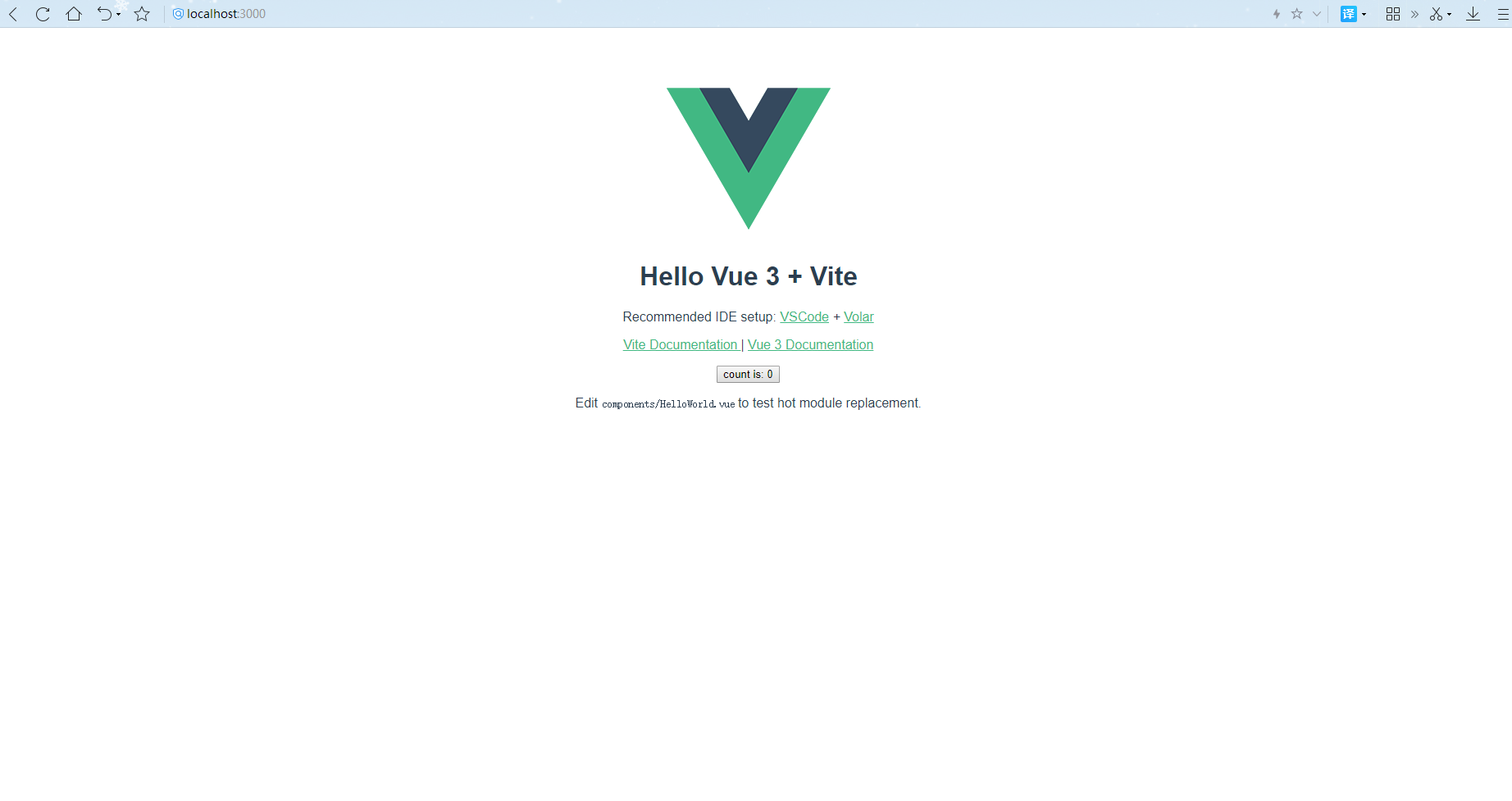
第一步: npm install @types/node --save-devcnpm install @types/node --save-dev [仅在开发环境中使用]或者yarn add package-nameyarn add package-name --dev [仅在开发环境中使用]第2步:配置vite.config.ts文件 如下:import { defineConfig } from 'vite'import vue from '@vitejs/plugin-vue'// 配置别名需要的路径模块import { resolve } from 'path'// https://vitejs.dev/config/export default defineConfig({ plugins: [vue()], // 配置别名 resolve: { alias: [ { find: '@', //指向的是src目录 replacement:resolve(__dirname,'src') } ] },})第3步:验证别名是否成功我们可以将 import HelloWorld from './components/HelloWorld.vue'更改为 import HelloWorld from './components/HelloWorld.vue'经过验证时ok的,别名设置成功第1步下载:
官网:https://next.router.vuejs.org/installation.htmlnpm install vue-router@4第2步:配置
src下创建文件夹,router文件夹,创建index.ts文件;代码如下:import { createRouter, RouteRecordRaw, createWebHashHistory } from 'vue-router'const routes : Array <RouteRecordRaw> = [ { path: '/a', name: 'home', component:()=>import('../views/teacher/index.vue'), }]const router = createRouter({ history: createWebHashHistory(), //哈希值模式 routes})// 暴露出去export default router第3步:在main.ts中注册
import { createApp } from 'vue'import App from './App.vue'// 引入路由import router from './router/index'// 使用路由createApp(App).use(router).mount('#app')第4步:在app.vue中更改
<template> <!-- 放置路由容器 --> <router-view></router-view></template><script setup lang="ts"></script>
第1步:安装vuex
安装vuex: npm install vuex@next --save或者 yarn add vuex@next --save第2步:在src下创建store文件夹,store下创建index.ts
import { createStore } from 'vuex'// 声明接口export interface State { count: number}// 创建store实例const store = createStore({ state () { return { count: 0 } }, mutations: { // 更改count changeAddoneCount(state:State) { state.count++ }, changeTenCount(state:State,valueNum) { state.count=valueNum }, }})export default store;第3步:在main.ts中注册
import { createApp } from 'vue'import App from './App.vue'// 引入路由import router from './router/index'// 引入vueximport store from "./store/index"// 使用路由,vuexcreateApp(App).use(router).use(store).mount('#app')第4步:在页面上使用
<template> <div> <div> count的初始值{{ store.state.count }} </div> <button @click="addHander">每次+1</button> <button @click="changeHander">直接更改为10</button> </div></template><script setup lang="ts">import { useStore} from 'vuex'let store=useStore()// 更改vuex中的值,通过commit去触发vuex中mutations中对应的方法const addHander=()=>{ store.commit('changeAddoneCount')}const changeHander=()=>{ store.commit('changeTenCount',10)}</script>
看见这个标题,有的小伙伴会说,刚刚不是已经配置过别名了嘛?在vite配置别名,类似webpack的@中。这种我们可以引入组件但是去这样引入 import store from "@/store/index" 会报错我们需要去解决这个问题第1步: 在tsconfig.json配置如下
在12行下添加==>如下"baseUrl": ".","paths": { "@/*":["src/*"]}第2步: 用main.ts来验证是否正确
之前是import router from './router/index'import store from "./store/index"更改为import router from '@/router/index'import store from "@/store/index"这样没有报错了,说明我们的配置成功了在tsconfig.json配置如下"exclude": ["node_modules"] //忽略node_modules下的文件"skipLibCheck": true //忽略所有声明的ts文件
第1步:安装npm install sass --savenpm install sass-loader --save-dev第2步:vite.config.ts中配置
css: { // css预处理器 preprocessorOptions: { scss: { charset: false, //需要在assets下创建对应的文件global.scss additionalData: '@import "./src/assets/style/global.scss";', }, },}第3步:验证
//global.scss文件$main:#ccc;$c:pink<template> <div > <h1 >全局使用scss</h1> </div></template><style lang="scss" scoped>.home{ height: 40px; //使用全局变量 background: $main; .h1{ color:$c }}</style>
如果你觉得我写的不错的话,可以给我推荐、打赏、评论!上一个给我打赏的小伙伴都已经找到女朋友了!咦!你不信,不信你给我打赏看一下!保准你追到到喜欢的Ta!你不会追,哎!难受。我教你,你可以这样说:小生不才,斗胆-问,不知姑娘是否心系他人。感情之事,在下不敢儿戏!如若姑娘早已心系他人。那在下便不再打扰。如若有所唐突还望姑娘多加体谅!若姑娘非我良人,那在下就不庸人自恼。在下怕越陷越深,还望姑娘尽早告知!话已至此,我便先在此谢过!拿去不谢!回头告诉我结果啊!咦!抓住一个没有打赏的小伙伴!想问问题,打赏了卑微的博主,求求你备注一下的扣扣或者微信;这样我好联系你;(っ??ω??)っ???!
如果觉得这篇文章对你有小小的帮助的话,记得在右下角点个“推荐”哦,或者关注博主,在此感谢!
万水千山总是情,打赏5毛买辣条行不行,所以如果你心情还比较高兴,也是可以扫码打赏博主(っ??ω??)っ???!
想问问题,打赏了卑微的博主,求求你备注一下的扣扣或者微信;这样我好联系你;(っ??ω??)っ???!


