当组件中只有一个插槽的时候,我们可以不设置 slot 的 name 属性。v-slot 后可以不带参数,但是 v-slot 在没有设置 name 属性的时候,插槽口会默认为“default”。插槽主要是在封装组件的时候去使用注意点:v-slot 只能添加在 <template>上哈。现在我们封装一个组件,在组件中可以自定义内容。这个时候我们就可以使用插槽了。插槽可以将父页面中的内容展示在子组件中指定的位置。<template> <div> <cha-cao> <template v-slot> 匿名插槽添加的数据 </template> </cha-cao> </div></template><script setup>import ChaCao from "../components/ChaCao.vue"</script><template> <div> <h2>我是组件中标题</h2> <!-- 匿名插槽添加的数据 将会被展示在这里 --> <slot></slot> </div></template><!-- 由于组件中只有一个插槽,我们可以不携带参数 -->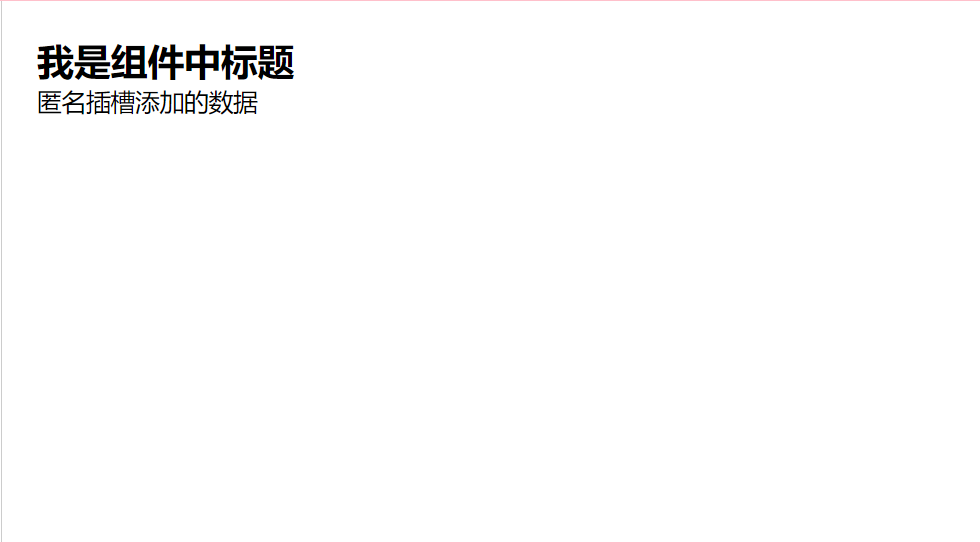
子当组件渲染的时候,<slot></slot> 将会被替换为“匿名插槽添加的数据 ”。插槽还可以包含任何模板代码,包括 HTML,或者其他组件。很多的时候,我们可能在组件的不同位置展示不同的内容。这个时候我们就需要使用具名插槽。跟 v-on 和 v-bind 一样,v-slot 也有缩写。(v-slot:) 替换为字符 #例如 v-slot:header 可以被重写为 #header:<template> <div> <cha-cao> <template v-slot:header> <h2>标题是学习vue3</h2> </template> <template v-slot:cont> <h3>正文是好好学习,天天向上</h3> </template> </cha-cao> </div></template><script setup>import ChaCao from "../components/ChaCao.vue"</script><template> <div> <h2>我是组件中标题</h2> <slot name="header"></slot> </div> <p>========================</p> <div> <h2>我是正文</h2> <slot name="cont"></slot> </div></template>
有时让插槽内容能够访问子组件中才有的数据是很有用的。当一个组件被用来渲染一个项目数组时,这是一个常见的情况,我们希望能够自定义每个项目的渲染方式。父组件.vue<template> <div> <cha-cao :listArr="arr"> <template v-slot:header="slotProps"> <h1>下面这个电视剧是自定义的哈</h1> <h1>这就是作用域插槽哈</h1> <h2 clas>电视剧名称:{{ slotProps.row.name }} 人物:{{slotProps.row.person }} 序号--{{ slotProps.index }} </h2> </template> </cha-cao> </div></template><script setup>import ChaCao from "../components/ChaCao.vue"let arr=[ {name:'且试天下',person:'丰兰息'}, {name:'请叫我总监',person:'小橘子'}, {name:'你是我的荣耀',person:'路人甲',slotFlag:true},]</script>子组件<template> <ul> <li v-for="( item, index ) in listArr" :key="index"> <template v-if="!item.slotFlag"> <h2>电视剧名称:{{ item.name }} 人物:{{item.person }} 序号:{{ index }} </h2> </template> <template v-else> <slot :row="item" name="header" :index="index"></slot> </template> </li> </ul></template><script setup>import {defineProps} from 'vue'defineProps({ listArr:{ type:Array, default:()=>{ return [] } },})</script>
父页面.vue<template> <div > {{ name }}== <cha-cao> <template #[name]> <div>我在哪里</div> </template> </cha-cao> </div></template><script setup lang="ts">import { ref, } from 'vue'const name = ref('header')</script>子组件.vue<template> <div> <div > <slot name="header">我是头部</slot> </div> <div > <slot name="main">我是主体</slot> </div> </div></template>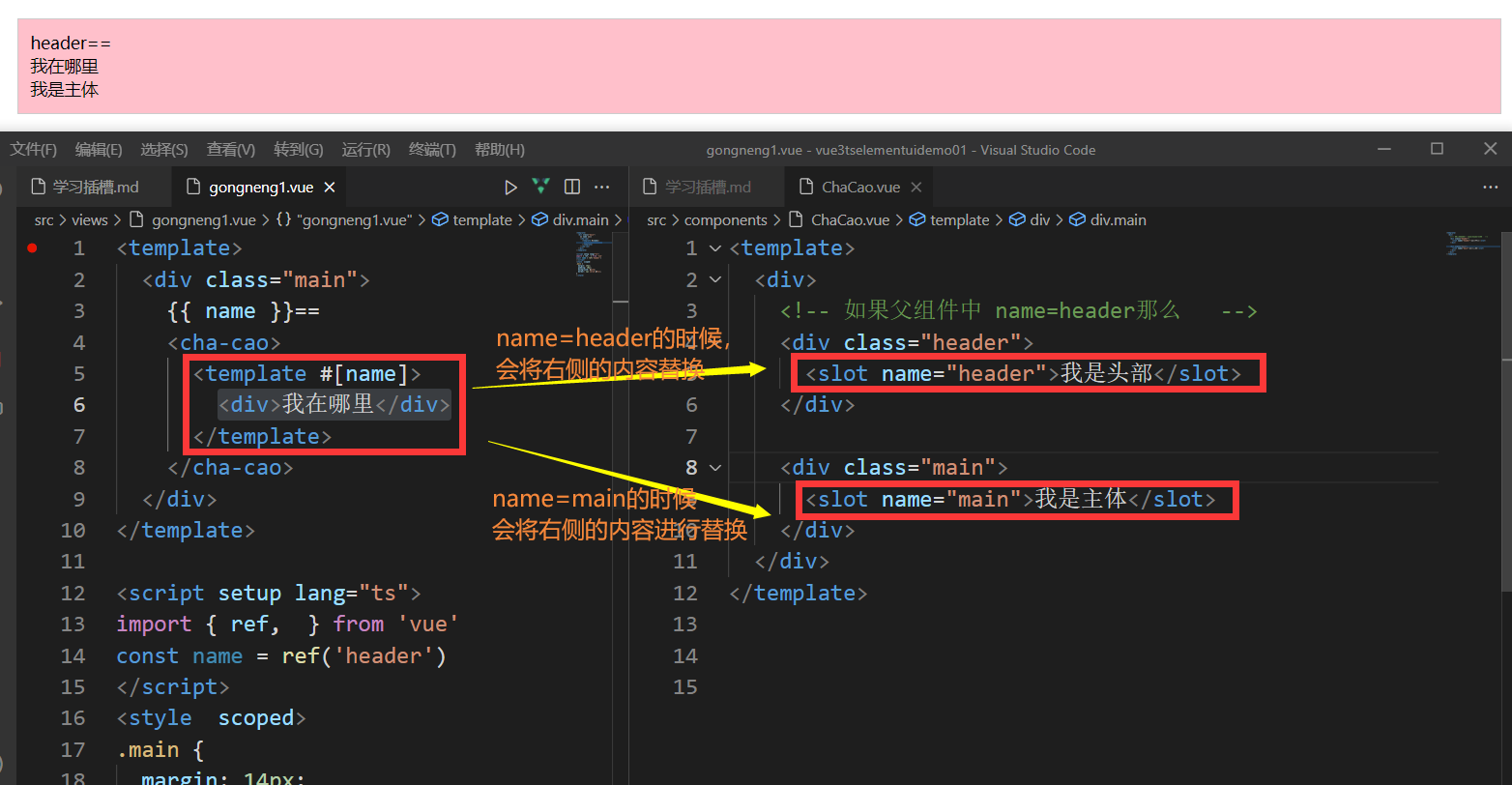

最大的区别是name是动态的对于写入插槽来讲具名插槽:具名插槽的name是固定值(静态值)想问问题,打赏了卑微的博主,求求你备注一下的扣扣或者微信;这样我好联系你;(っ??ω??)っ???!
如果觉得这篇文章对你有小小的帮助的话,记得在右下角点个“推荐”哦,或者关注博主,在此感谢!
万水千山总是情,打赏5毛买辣条行不行,所以如果你心情还比较高兴,也是可以扫码打赏博主(っ??ω??)っ???!
想问问题,打赏了卑微的博主,求求你备注一下的扣扣或者微信;这样我好联系你;(っ??ω??)っ???!