最近在学习 《linux Kernel Development》,本书用的linux kernel 是v2.6 版本的。看完”系统调用“一节后,想尝试添加一个系统调用,然后重编一个kernel。经过几个小时的尝试,实现了这个小功能,其中也遇到了不少坑,本文主要是记录分享下如何在Linux Kernel (V5.17.7) 中添加一个系统调用(System call)。
编kernel之前需要注意:
1、修改的kernel是目前最新的release 版本(V5.17.7), 书中v2.6版本的kernel太老了,gcc需要降到4.8版本,否则无法编过。 kernel 发布地址:https://www.kernel.org/
2、需要选用大内存,多核的机器编kernel,否则会出现各种异常问题,而且编kernel 很费时间。15GB内存的机器,编不过kernel。换用100GB内存的机器就好了??
本文主要包含以下几点内容:
1、环境准备
2、修改kernel
3、rebuild kernel 以及安装kernel
4、测试结果
我编kernel的机器是:Ubuntu 20.04.1 LTS,内存180GB, cores: 88
sudo apt update && sudo apt upgrade -ysudo apt install build-essential libncurses-dev libssl-dev libelf-dev bison flex -y我这里用的vim,没有的话也需要安装:
sudo apt install vim -ysudo apt clean && sudo apt autoremove -ywget -P ~/ https://cdn.kernel.org/pub/linux/kernel/v5.x/linux-5.17.7.tar.xztar -xvf ~/linux-5.17.7.tar.xz -C ~/uname -r5.11.0-36-generic
重新安装kernel之后,这个版本号会被修改。
cd ~/linux-5.17.7/mkdir hellovim hello/hello.c添加代码。
#include <linux/kernel.h>#include <linux/syscalls.h>SYSCALL_DEFINE0(hello){ printk("hello_system_call.\n"); return 0;}vim hello/Makefile添加下面内容:
obj-y := hello.ovim Makefile搜索 core-y, 完成如下添加:

vim include/linux/syscalls.h添加:
asmlinkage long sys_hello(void);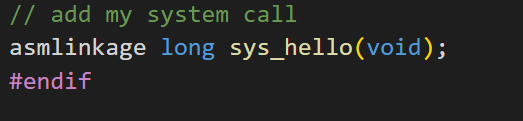
vim arch/x86/entry/syscalls/syscall_64.tbl 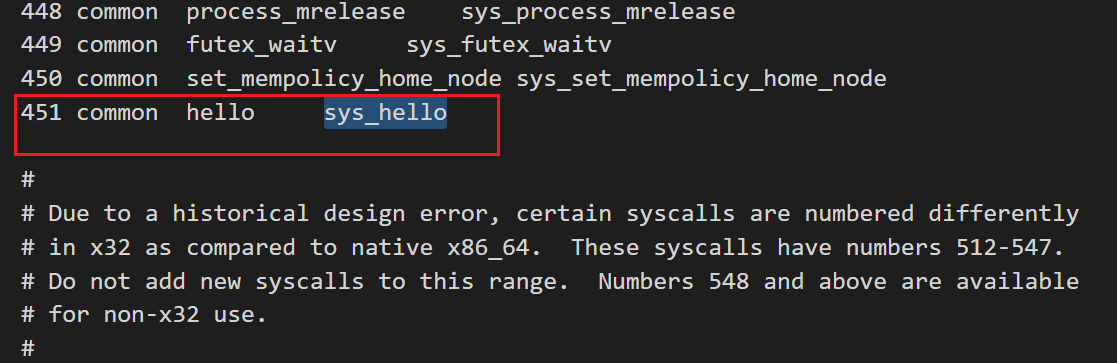
前面的步骤都很简单,这一步可能会出现各种问题,而且很耗时。
这里一路默认设置就好。
make menuconfignprocmake -j32echo $? // make 结束之后记得检查一下 状态###if output is 0 thensudo make modules_install -j32echo $? make install -j32sudo update-grubsudo reboot 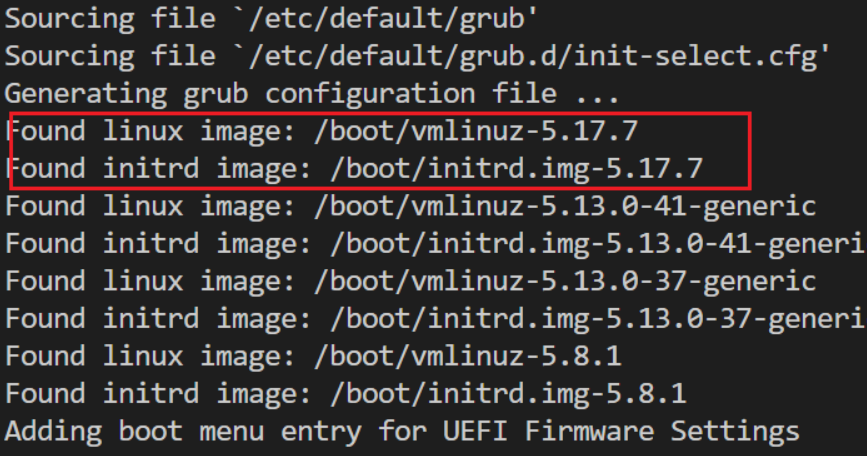
uname -r由于系统调用不像普通函数那样,需要通过sys_call 以及系统调用号才能实现系统调用。创建一个test.c
#include <linux/kernel.h>#include <sys/syscall.h>#include <stdio.h>#include <unistd.h>#include <string.h>#include <errno.h>#define __NR_hello 451long hello_syscall(void){ return syscall(__NR_hello);}int main(int argc, char *argv[]){ long activity; activity = hello_syscall(); if(activity < 0) { perror("Sorry, xxx. Your system call appears to have failed."); } else { printf("Congratulations, xxx! Your system call is functional. Run the command dmesg in the terminal and find out!\n"); } return 0;}gcc -o test test.c./testdmesg // 后面也能看到系统调用打印的信息Congratulations, yaran! Your system call is functional. Run the command dmesg in the terminal and find out!

