有些效果无法在这儿体现,如果想看完整的效果,请移步个人站点。
原文链接:基于 Hexo 从零开始搭建个人博客(五)
阅读本篇前,请先阅读前几篇文章:
基于 Hexo 从零开始搭建个人博客(一)
基于 Hexo 从零开始搭建个人博客(二)
基于 Hexo 从零开始搭建个人博客(三)
基于 Hexo 从零开始搭建个人博客(四)
本站基于
Hexo搭建,用的 ?? hexo-theme-butterfly 主题 v3.7.1,请注意最新的?? hexo-theme-butterfly 版本已经更新到 v4.2.2 。
如果你是 v3.7.1 之外的版本,可能有些地方会有出入,请留意。
注意:我的博客根目录路径为 【G:/hexo-blog/blog-demo】,下文所说的根目录都是此路径,将用
[BlogRoot]代替。如果不清楚根目录路径,请回到教程 基于 Hexo 从零开始搭建个人博客(二),查看你执行hexo init xxx这条命令时所选择的路径,例如我选择的路径是【G:/hexo-blog】,我的博客根目录即为【G:/hexo-blog/xxx】。
修改站点配置文件_config.yml,路径为【BlogRoot/_config.yml】。
修改主题配置文件_config.butterfly.yml,路径为【BlogRoot/_config.butterfly.yml】。
修改站点配置文件_config.yml,默认语言是 en 。
主题支持三种语言:
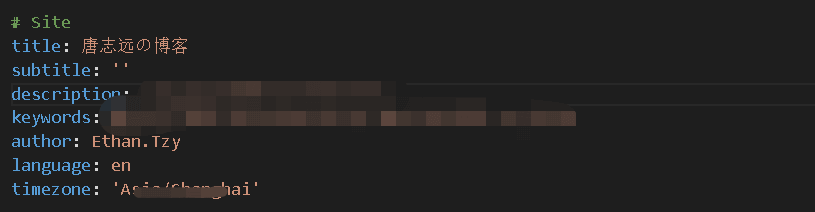
修改网站各种资料,例如标题、副标题和邮箱等个人资料,请修改站点配置文件_config.yml。部分参数如下,详细参数可参考官方的配置描述。
| 参数 | 描述 |
|---|---|
| title | 网站标题 |
| subtitle | 描述 |
| description | 网站描述 |
| keywords | 网站的关键词。支持多个关键词。 |
| author | 您的名字 |
| language | 网站使用的语言。对于简体中文用户来说,使用不同的主题可能需要设置成不同的值,请参考你的主题的文档自行设置,常见的有 zh-Hans和 zh-CN。 |
| timezone | 网站时区。Hexo 默认使用您电脑的时区。请参考 时区列表 进行设置,如 America/New_York, Japan, 和 UTC 。一般的,对于中国大陆地区可以使用 Asia/Shanghai。 |
修改主题配置文件_config.butterfly.yml。
menu: Home: / || fas fa-home Archives: /archives/ || fas fa-archive Tags: /tags/ || fas fa-tags Categories: /categories/ || fas fa-folder-open List||fas fa-list: Music: /music/ || fas fa-music Movie: /movies/ || fas fa-video Link: /link/ || fas fa-link About: /about/ || fas fa-heart必须是 /xxx/,后面||分开,然后写图标名。
如果不希望显示图标,图标名可不写。
v3.7.1 版本中直接默认子目录是展开的,如果你想要隐藏,后续在魔改中会提到。
若主题版本大于 v4.0.0,可以直接在子目录里添加 hide 。
menu: Home: / || fas fa-home Archives: /archives/ || fas fa-archive Tags: /tags/ || fas fa-tags Categories: /categories/ || fas fa-folder-open List||fas fa-list||hide: Music: /music/ || fas fa-music Movie: /movies/ || fas fa-video Link: /link/ || fas fa-link About: /about/ || fas fa-heart注意: 导航的文字可自行更改
例如:
menu: 首页: / || fas fa-home 时间轴: /archives/ || fas fa-archive 标签: /tags/ || fas fa-tags 分类: /categories/ || fas fa-folder-open 清单||fa fa-heartbeat: 音乐: /music/ || fas fa-music 照片: /Gallery/ || fas fa-images 电影: /movies/ || fas fa-video 友链: /link/ || fas fa-link 关于: /about/ || fas fa-heart
代码块中的所有功能只适用于 Hexo 自带的代码渲染。
如果使用第三方的渲染器,不一定会有效。
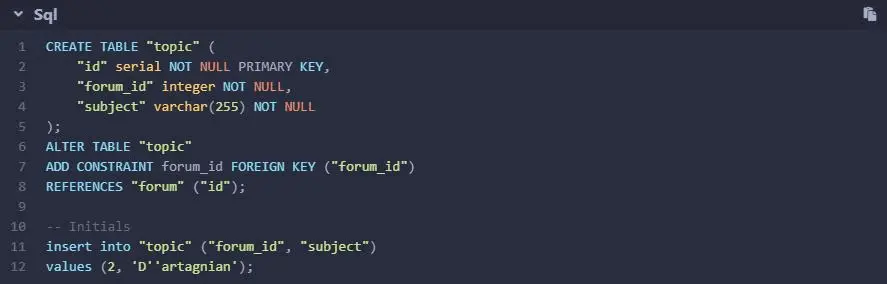
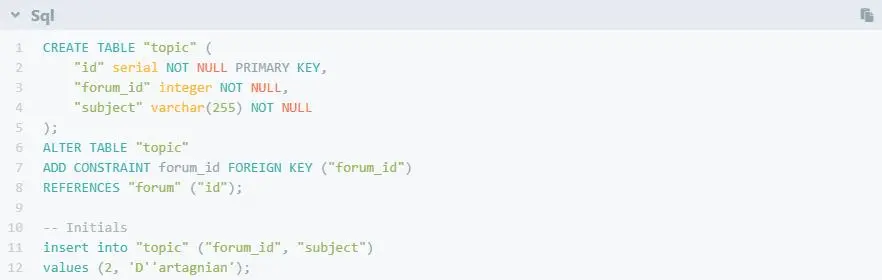
Butterfly支持 6 种代码高亮样式:
修改主题配置文件_config.butterfly.yml。中的highlight_theme属性。
highlight_theme: light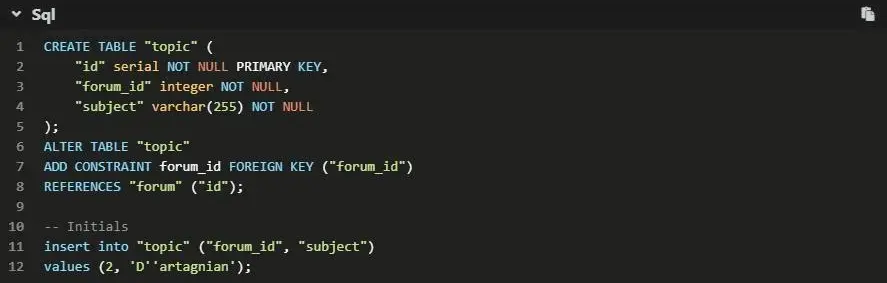
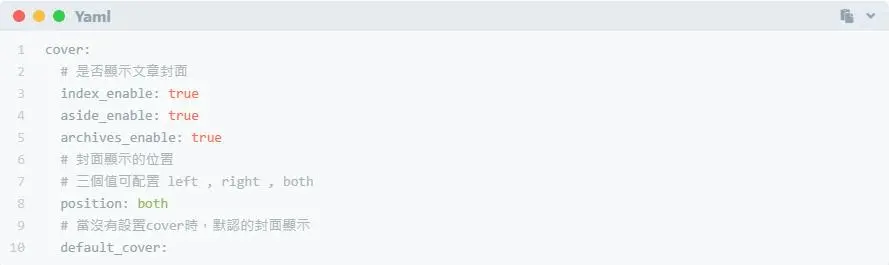
修改主题配置文件_config.butterfly.yml。中的highlight_copy属性。
highlight_copy: true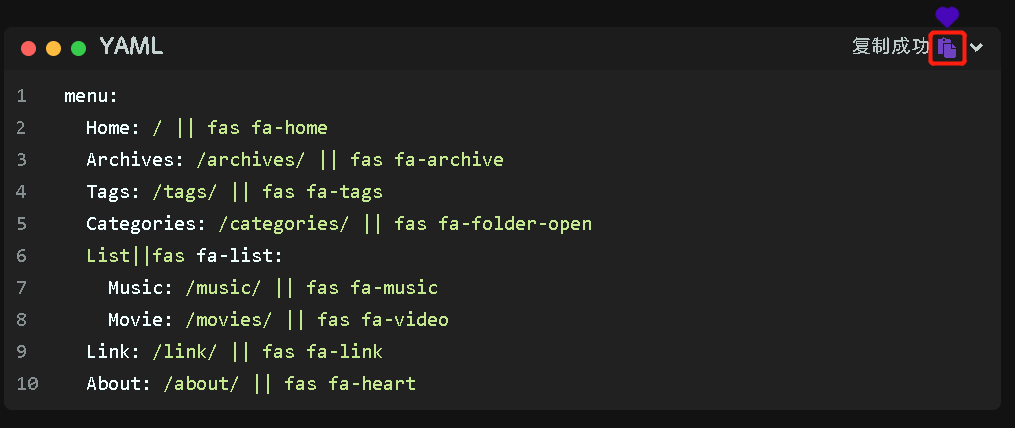
修改主题配置文件_config.butterfly.yml。中的highlight_shrink属性。
highlight_shrink: true #代码框不展开,需点击 '>' 打开在默认情况下,代码框自动展开,可设置是否所有代码框都关闭状态,点击>可展开代码。
>打开>点击按钮>按钮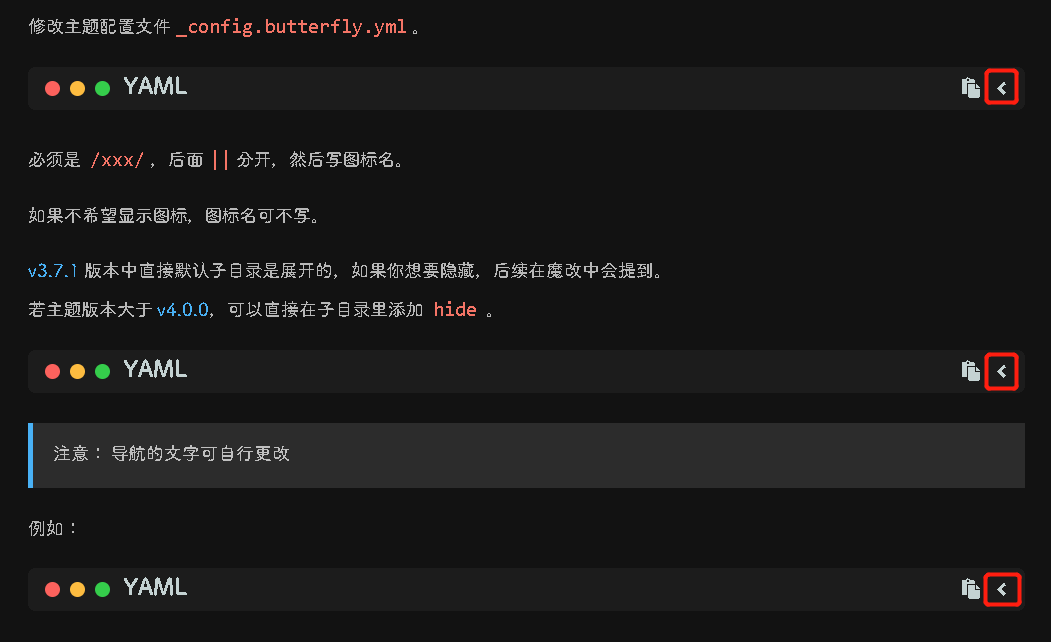
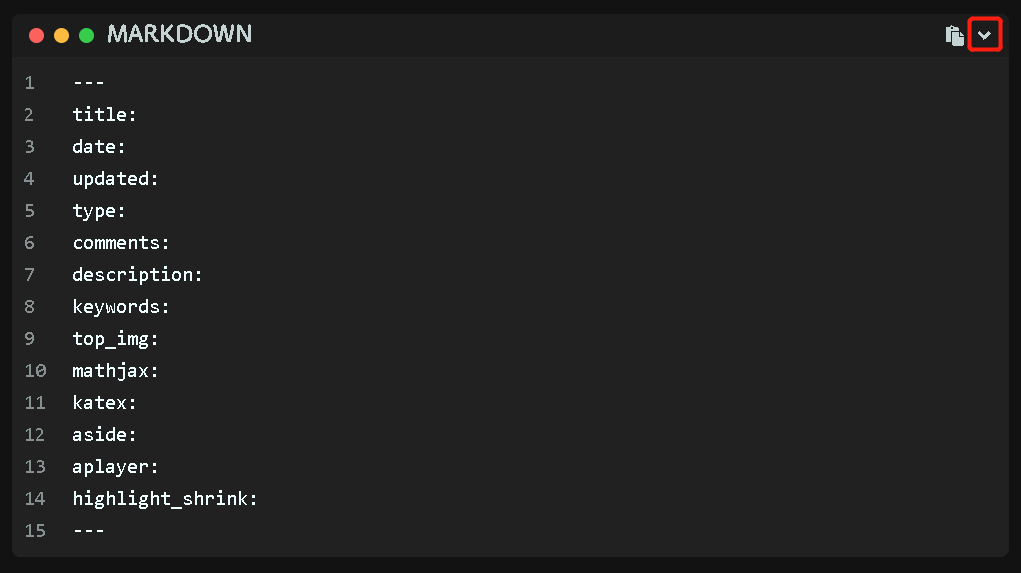
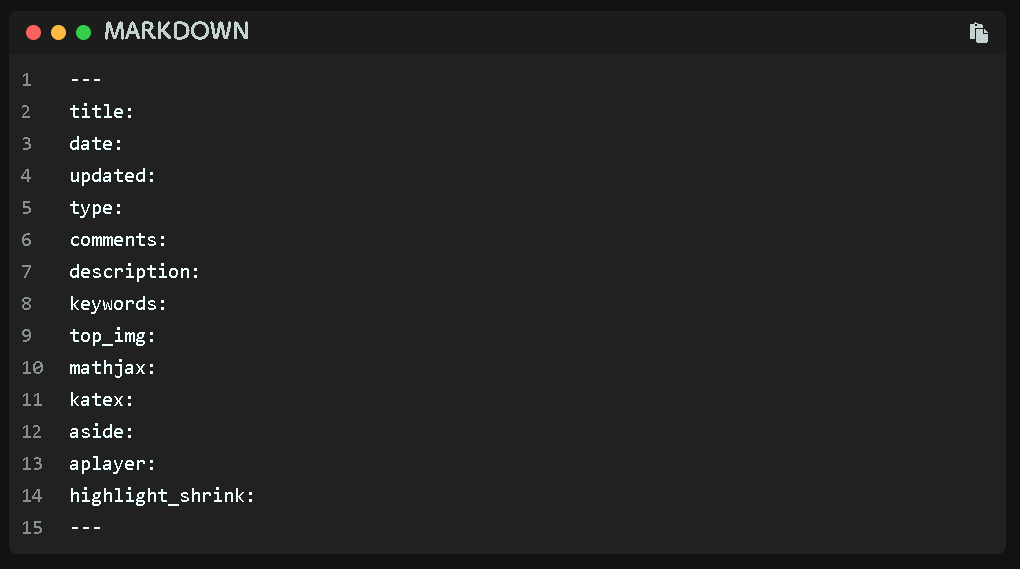
在默认情况下,Hexo 在编译的时候不会实现代码自动换行。如果你不希望在代码块的区域里有横向滚动条的话,那么你可以考虑开启这个功能。
修改主题配置文件_config.butterfly.yml。中的code_word_wrap属性。
code_word_wrap: truev3.7.0 及以上支持。
可配置代码高度限制,超出的部分会隐藏,并显示展开按钮。
highlight_height_limit: false # unit: px注意:
px,直接添加数字,如 200highlight_height_limit + 30 px ,多增加 30px 限制,目的是避免代码高度只超出highlight_height_limit 一点时,出现展开按钮,展开没内容。display: none)。Butterfly支持font-awesome v6图标。
书写格式:图标名:url || 描述性文字。
social: fab fa-github: https://github.com/xxxxx || Github fas fa-envelope: mailto:xxxxxx@gmail.com || Email如果不要显示顶部图,可直接配置
disable_top_img: true。
| 配置 | 解释 |
|---|---|
| index_img | 主页的 top_img |
| default_top_img | 默认的 top_img,当页面的 top_img 没有配置时,会显示 default_top_img |
| archive_img | 归档页面的 top_img |
| tag_img | tag子页面 的 默认 top_img |
| tag_per_img | tag子页面的 top_img,可配置每个 tag 的 top_img |
| category_img | category 子页面 的 默认 top_img |
| category_per_img | category 子页面的 top_img,可配置每个 category 的 top_img |
修改主题配置文件_config.butterfly.yml。
index_img: xxx.png其它页面 (tags/categories/自建页面)和文章页的top_img,请到对应的 md 页面设置front-matter中的top_img。
3.2.0 以下版本的配置只支持
| 配置的值 | 效果 |
|---|---|
| 留空 | 显示默认的top_img(如有),否则显示默认的颜色 |
| (文章页top_img留空的话,会显示 cover 的值) | |
| img链接 | 图片的链接,显示所配置的图片 |
| 颜色( HEX值 - #0000FF RGB值 - rgb(0,0,255) 颜色单词 - orange 渐变色 - linear-gradient( 135deg, #E2B0FF 10%, #9F44D3 100%)) | 对应的颜色 |
| transparent | 透明 |
| false | 不显示 top_img |
tag_per_img和category_per_img是 v3.2.0 新增的内容,可对 tag 和 category 进行单独的配置。
并不推荐为每个 tag 和每个 category 都配置不同的顶部图,因为配置太多会拖慢生成速度。
tag_per_img: aplayer: https://xxxxxx.png android: ddddddd.pngcategory_per_img: 随想: hdhdh.png 推荐: ddjdjdjd.png【推荐】hexo-generator-index从 v2.0.0 开始,已经支持文章置顶功能。你可以直接在文章的front-matter区域里添加sticky: 1属性来把这篇文章置顶。数值越大,置顶的优先级越大。
文章的markdown文档上,在Front-matter添加cover,并填上要显示的图片地址。如果不配置cover,可以设置显示默认的cover。
如果不想在首页显示cover,可以设置为false。
修改主题配置文件_config.butterfly.yml。
cover: # 是否显示文章封面 index_enable: true aside_enable: true archives_enable: true # 封面显示的位置 # 三个值可配置 left , right , both position: both # 当没有设置cover时,默认的封面显示 default_cover: 当配置多张图片时,会随机选择一张作为cover,此时写法应为:
default_cover: - https://cdn.jsdelivr.net/gh/jerryc127/CDN@latest/cover/default_bg.png - https://cdn.jsdelivr.net/gh/jerryc127/CDN@latest/cover/default_bg2.png - https://cdn.jsdelivr.net/gh/jerryc127/CDN@latest/cover/default_bg3.png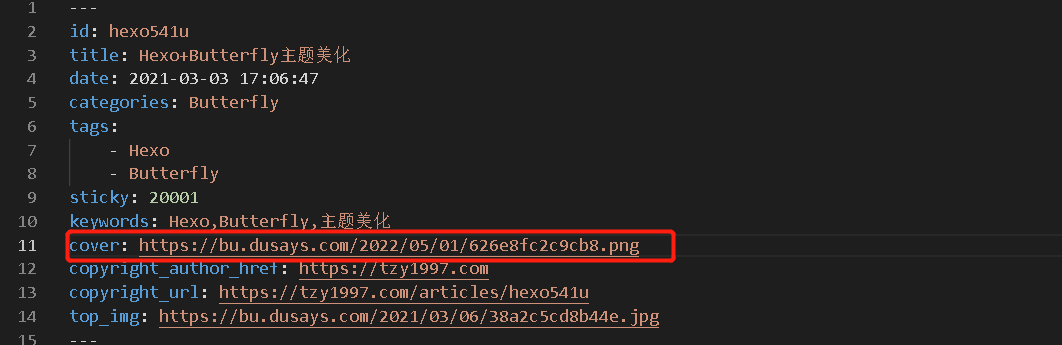
post_meta这个属性用于显示文章的相关信息的。
修改主题配置文件_config.butterfly.yml。
post_meta: page: date_type: both # created or updated or both 主页文章日期是创建日或者更新日或都显示 date_format: relative # date/relative 显示日期还是相对日期 categories: true # true or false 主页是否显示分类 tags: true # true or false 主页是否显示标签 label: true # true or false 显示描述性文字 post: date_type: both # created or updated or both 文章页日期是创建日或者更新日或都显示 date_format: relative # date/relative 显示日期还是相对日期 categories: true # true or false 文章页是否显示分类 tags: true # true or false 文章页是否显示标签 label: true # true or false 显示描述性文字修改主题配置文件_config.butterfly.yml。
post_copyright: enable: true decode: false author_href: license: CC BY-NC-SA 4.0 license_url: https://creativecommons.org/licenses/by-nc-sa/4.0/由于Hexo 4.1开始,默认对网址进行解码,以至于如果是中文网址,会被解码,可设置decode: true来显示中文网址。
如果有文章(例如:转载文章)不需要显示版权,可以在文章页Front-matter中单独设置。
copyright: false从v3.0.0 开始,支持对单独文章设置版权信息,可以在文章Front-matter单独设置。
post_copyright:copyright_author: xxxxcopyright_author_href: https://xxxxxx.comcopyright_url: https://xxxxxx.comcopyright_info: 此文章版权归xxxxx所有,如有转载,请註明来自原作者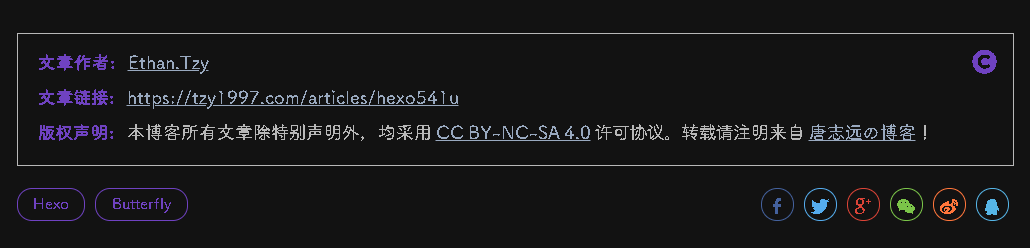
修改主题配置文件_config.butterfly.yml。
reward: enable: false QR_code: - img: /img/wechat.jpg link: text: wechat - img: /img/alipay.jpg link: text: alipay
修改主题配置文件_config.butterfly.yml。
toc: post: true page: false number: true expand: false style_simple: false # for post| 属性 | 解释 |
|---|---|
| post | 文章页是否显示 TOC |
| page | 普通页面是否显示 TOC |
| number | 是否显示章节数 |
| expand | 是否展开 TOC |
| style_simple | 简洁模式(侧边栏只显示 TOC, 只对文章页有效 ) |
相关文章推荐的原理是根据文章tags的比重来推荐。
修改主题配置文件_config.butterfly.yml。
related_post: enable: true limit: 6 # 显示推荐文章数目 date_type: created # or created or updated 文章日期显示创建日或者更新日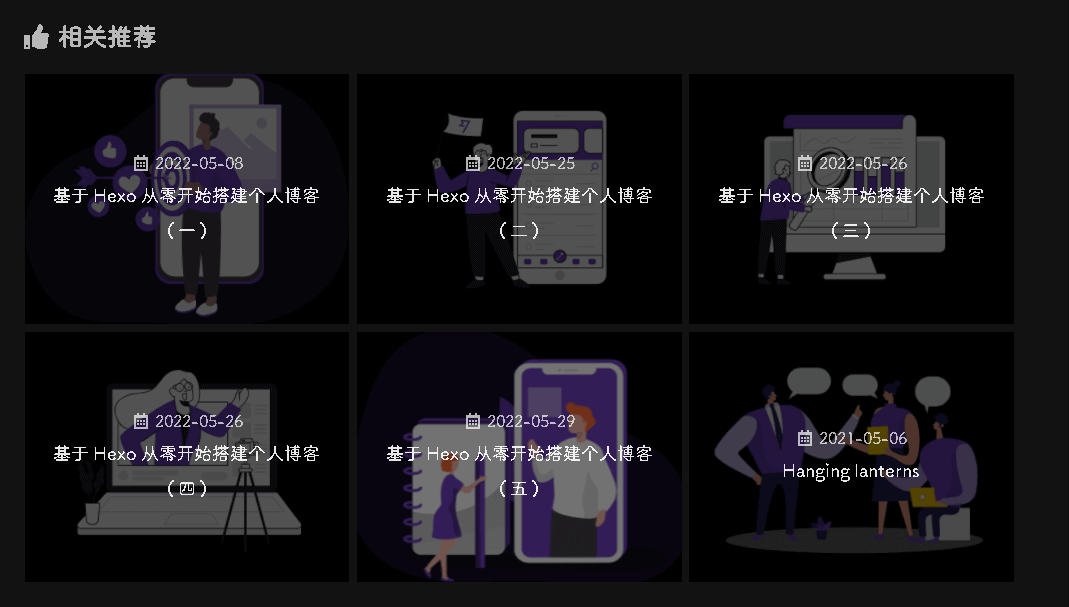
开启文章锚点后,当你在文章页进行滚动时,文章链接会根据标题ID进行替换。
注意: 每替换一次,会留下一个歷史记录。所以如果一篇文章有很多锚点的话,网页的歷史记录会很多。
修改主题配置文件_config.butterfly.yml。
# anchor# when you scroll in post , the url will update according to header id.anchor: true可设置是否显示文章过期提醒,以更新时间为基准。
# Displays outdated notice for a post (文章过期提醒)noticeOutdate: enable: true style: flat # style: simple/flat limit_day: 365 # When will it be shown position: top # position: top/bottom message_prev: It has been message_next: days since the last update, the content of the article may be outdated.limit_day: 距离更新时间多少天才显示文章过期提醒。message_prev : 天数之前的文字。message_next:天数之后的文字。
修改主题配置文件_config.butterfly.yml。
# post_pagination (分页)# value: 1 || 2 || false# 1: The 'next post' will link to old post# 2: The 'next post' will link to new post# false: disable paginationpost_pagination: false| 参数 | 解释 |
|---|---|
| post_pagination: false | 关闭分页按钮 |
| post_pagination: 1 | 下一篇显示的是旧文章 |
| post_pagination: 2 | 下一篇显示的是新文章 |

avatar: img: https://bu.dusays.com/2022/05/02/626f92e193879.jpg effect: true # 头像会一直转圈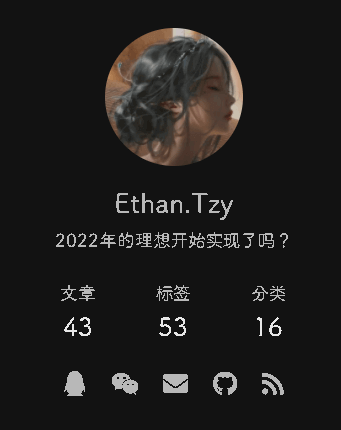
可开启图片Figcaption描述文字显示,优先显示图片的title属性,然后是alt属性。
修改主题配置文件_config.butterfly.yml。
photofigcaption: false# copy settings# copyright: Add the copyright information after copied content (复制的内容后面加上版权信息)copy: enable: true copyright: enable: true limit_count: 50| 配置 | 解释 |
|---|---|
| enable | 是否开启网站复制权限 |
| copyright | 复制的内容后面加上版权信息 |
| enable | 是否开启复制版权信息添加 |
| limit_count | 字数限制,当复制文字大于这个字数限制时,将在复制的内容后面加上版权信息 |
添加版权后的效果:
<div >{% galleryGroup '壁纸' '收藏的一些壁纸' '/Gallery/wallpaper' https://bu.dusays.com/2021/03/06/38a2c5cd8b44e.jpg %}{% galleryGroup '漫威' '关于漫威的图片' '/Gallery/marvel' https://i.loli.net/2019/12/25/8t97aVlp4hgyBGu.jpg %}{% galleryGroup 'OH MY GIRL' '关于OH MY GIRL的图片' '/Gallery/ohmygirl' https://i.loli.net/2019/12/25/hOqbQ3BIwa6KWpo.jpg %}</div>作者: Ethan.Tzy链接: https://tzy1997.com/articles/hexo541u/来源: 唐志远の博客著作权归作者所有。商业转载请联系作者获得授权,非商业转载请注明出处。修改主题配置文件_config.butterfly.yml。
footer: owner: enable: true since: 2018 # 站点起始时间custom_text是一个给你用来在页脚自定义文本的选项。通常你可以在这里写声明文本等。支持 HTML。
修改主题配置文件_config.butterfly.yml。
本人的页脚如下,若你在配置时没有出现github徽章,请参考教程添加Github徽标。
custom_text: I wish you to become your own sun, no need to rely on who's light.<p><a target="_blank" href="https://hexo.io/"><img src="https://img.shields.io/badge/Frame-Hexo-blue?style=flat&logo=hexo" title="博客框架为Hexo"></a> <a target="_blank" href="https://butterfly.js.org/"><img src="https://img.shields.io/badge/Theme-Butterfly-6513df?style=flat&logo=bitdefender" title="主题采用butterfly"></a> <a target="_blank" href="https://www.jsdelivr.com/"><img src="https://img.shields.io/badge/CDN-jsDelivr-orange?style=flat&logo=jsDelivr" title="本站使用JsDelivr为静态资源提供CDN加速"></a> <a target="_blank" href="https://vercel.com/ "><img src="https://img.shields.io/badge/Hosted-Vervel-brightgreen?style=flat&logo=Vercel" title="本站采用双线部署,默认线路托管于Vercel"></a> <a target="_blank" href="https://vercel.com/ "><img src="https://img.shields.io/badge/Hosted-Coding-0cedbe?style=flat&logo=Codio" title="本站采用双线部署,联通线路托管于Coding"></a> <a target="_blank" href="https://github.com/"><img src="https://img.shields.io/badge/Source-Github-d021d6?style=flat&logo=GitHub" title="本站项目由Gtihub托管"></a> <a target="_blank" href="http://creativecommons.org/licenses/by-nc-sa/4.0/"><img src="https://img.shields.io/badge/Copyright-BY--NC--SA%204.0-d42328?style=flat&logo=Claris" title="本站采用知识共享署名-非商业性使用-相同方式共享4.0国际许可协议进行许可"></a></p>
对于部分人需要写 ICP 的,也可以写在custom_text里。
custom_text: <a href="icp链接"><img src="icp图片"><span>备案号:xxxxxx</span></a>修改主题配置文件_config.butterfly.yml。
translate: enable: false # 默认按钮显示文字(网站是简体,应设置为'default: 繁') default: 繁 # the language of website (1 - Traditional Chinese/ 2 - Simplified Chinese) # 网站默认语言,1: 繁体中文, 2: 简体中文 defaultEncoding: 2 # Time delay 延迟时间,若不在前, 要设定延迟翻译时间, 如100表示100ms,默认为0 translateDelay: 0 # 当文字是简体时,按钮显示的文字 msgToTraditionalChinese: '繁' # 当文字是繁体时,按钮显示的文字 msgToSimplifiedChinese: '簡'修改主题配置文件_config.butterfly.yml。
# dark modedarkmode: enable: false # dark 和 light 两种模式切换按钮 button: true # Switch dark/light mode automatically (自動切換 dark mode和 light mode) # autoChangeMode: 1 Following System Settings, if the system doesn't support dark mode, it will switch dark mode between 6 pm to 6 am # autoChangeMode: 2 Switch dark mode between 6 pm to 6 am # autoChangeMode: false autoChangeMode: falsev2.0.0 开始增加一个选项,可开启自动切换light mode 和 dark mode。
autoChangeMode: 1 跟随系统而变化,不支持的浏览器/系统将按照时间晚上6点到早上6点之间切换为 dark mode。
autoChangeMode: 2 只按照时间 晚上6点到早上6点之间切换为 dark mode,其余时间为light mode。
autoChangeMode: false 取消自动切换。
阅读模式下会去掉除文章外的内容,避免干扰阅读。只会出现在文章页面,右下角会有阅读模式按钮。
修改主题配置文件_config.butterfly.yml。
readmode: true
可自行决定哪个项目需要显示,可决定位置,也可以设置不显示侧边栏。
修改主题配置文件_config.butterfly.yml。
aside: enable: true hide: false button: true mobile: true # 手机页面( 显示宽度 < 768px )是否显示aside内容 position: right # left or right card_author: # 关于博主的一些信息 enable: true description: button: enable: true icon: fab fa-github text: Follow Me link: https://github.com/xxxxxx card_announcement: # 公告信息 enable: true content: This is my Blog card_recent_post: # 最新文章 enable: true limit: 5 # if set 0 will show all sort: date # date or updated sort_order: # Don't modify the setting unless you know how it works card_categories: # 文章分类 enable: true limit: 8 # if set 0 will show all expand: none # none/true/false sort_order: # Don't modify the setting unless you know how it works card_tags: # 文章标签 enable: true limit: 40 # if set 0 will show all color: false sort_order: # Don't modify the setting unless you know how it works card_archives: # 文章归档 enable: true type: monthly # yearly or monthly format: MMMM YYYY # eg: YYYY年MM月 order: -1 # Sort of order. 1, asc for ascending; -1, desc for descending limit: 8 # if set 0 will show all sort_order: # Don't modify the setting unless you know how it works card_webinfo: # 网站信息 enable: true post_count: true last_push_date: true sort_order: # Don't modify the setting unless you know how it works详细信息请查看busuanzi官方网站。
修改主题配置文件_config.butterfly.yml。
busuanzi: site_uv: true # 本站总访客数 site_pv: true # 本站总访问量 page_pv: true # 本文总阅读量网页已运行时间。
runtimeshow: enable: true publish_date: 6/7/2018 00:00:00 ##网页开通时间 #格式: 月/日/年 时间 #也可以写成 年/月/日 时间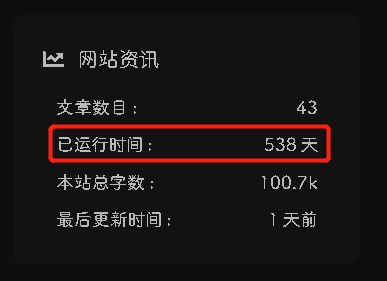
v3.1.0 以上支持。如果未配置任何评论,前先不要开启该功能。
最新评论只会在刷新时才会去读取,并不会实时变化。
由于 API 有 访问次数限制,为了避免调用太多,主题默认存取期限为 10 分鐘。也就是説,调用后资料会存在 localStorage 里,10分鐘内刷新网站只会去 localStorage 读取资料。 10 分鐘期限一过,刷新页面时才会去调取 API 读取新的数据。( 3.6.0 新增了 storage 配置,可自行配置缓存时间)。
# Aside widget - Newest Commentsnewest_comments: enable: true sort_order: # Don't modify the setting unless you know how it works limit: 6 # 显示的数量 storage: 10 # 设置缓存时间,单位 分钟 avatar: true # 是否显示头像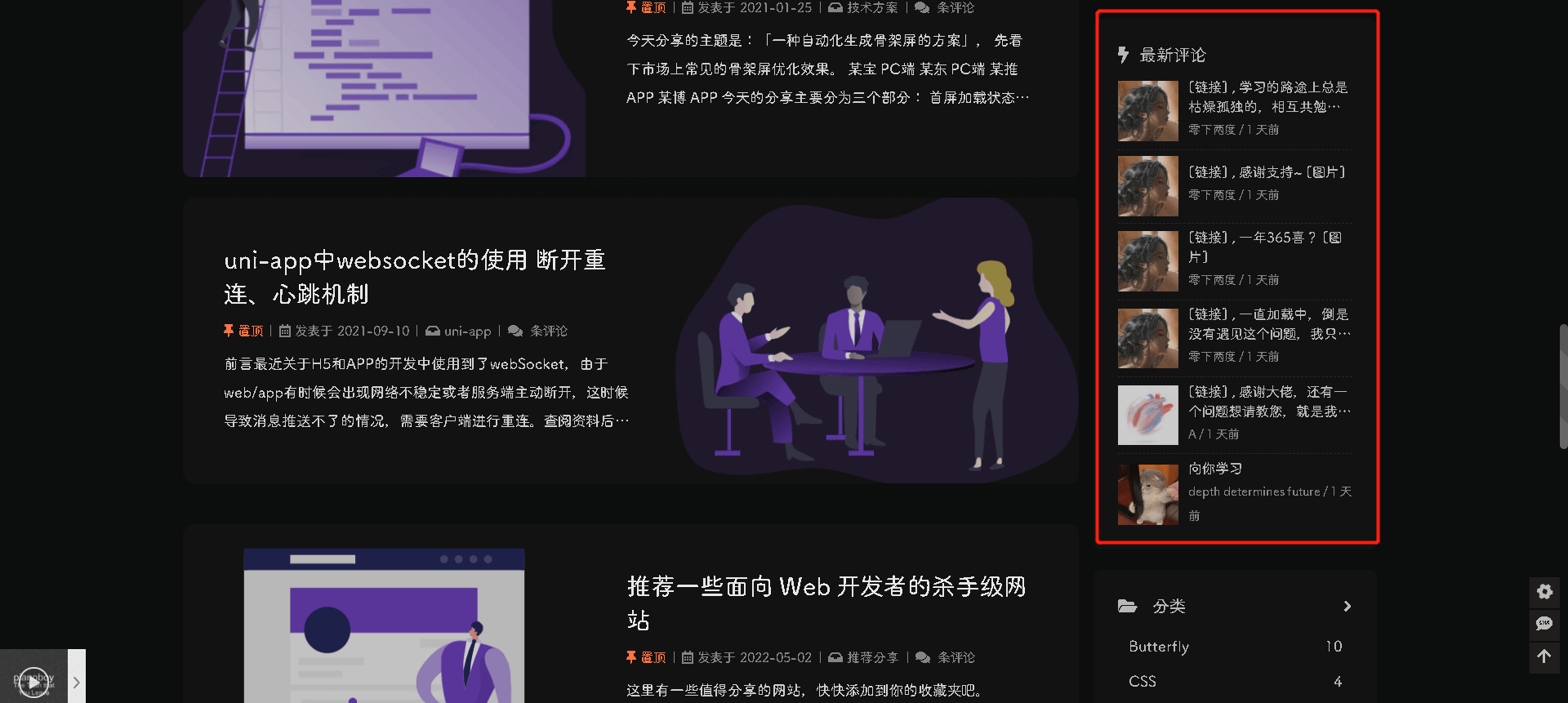
# 图片格式 url(http://xxxxxx.com/xxx.jpg)# 颜色(HEX值/RGB值/颜色单词/渐变色)# 留空 不显示背景background:如果你的网站根目录不是'/',使用本地图片时,需加上你的根目录。
例如:网站是https://yoursite.com/blog,引用一张img/xx.png图片,则设置background为 `url(/blog/img/xx.png)
传送门:activate-power-mode。
修改主题配置文件_config.butterfly.yml。
# Typewriter Effect (打字效果)# https://github.com/disjukr/activate-power-modeactivate_power_mode: enable: false colorful: true # open particle animation (冒光特效) shake: true # open shake (抖動特效) mobile: false
修改主题配置文件_config.butterfly.yml。
# footer是否显示图片背景(与top_img一致)footer_bg: true| 配置的值 | 效果 |
|---|---|
| 留空/false | 显示默认的颜色 |
| img链接 | 图片的链接,显示所配置的图片 |
| 颜色: HEX值 - #0000FF RGB值 - rgb(0,0,255) 颜色单词 - orange 渐变色 - linear-gradient( 135deg, #E2B0FF 10%, #9F44D3 100%) | 对应的颜色 |
| true | 显示跟 top_img 一样 |

可设置每次刷新更换彩带,或者每次点击更换彩带。详细配置可查看canvas_ribbon。
修改主题配置文件_config.butterfly.yml。
canvas_ribbon: enable: false size: 150 alpha: 0.6 zIndex: -1 click_to_change: false #設置是否每次點擊都更換彩带 mobile: false # false 手機端不顯示 true 手機端顯示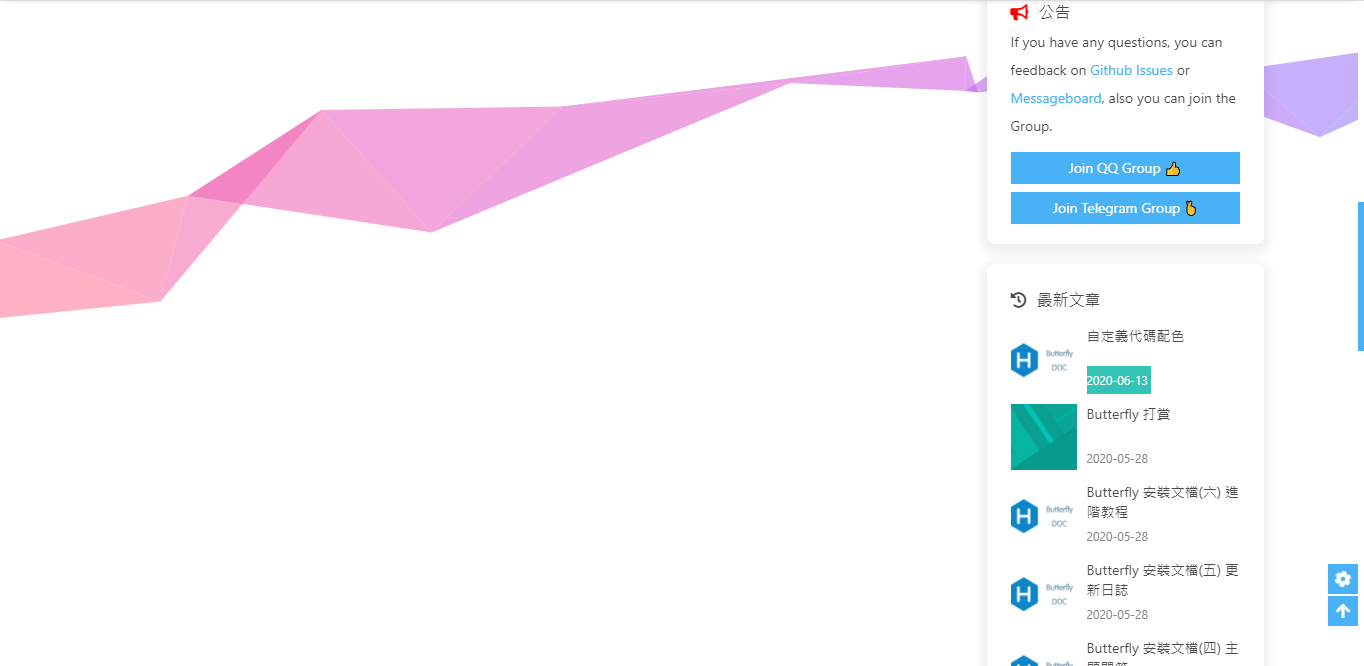
好看的彩带背景,会飘动。
修改主题配置文件_config.butterfly.yml。
canvas_fluttering_ribbon: enable: true mobile: true # false 手机端不显示 true 手机端显示
修改主题配置文件_config.butterfly.yml。
canvas_nest: enable: true color: '0,0,255' #color of lines, default: '0,0,0'; RGB values: (R,G,B).(note: use ',' to separate.) opacity: 0.7 # the opacity of line (0~1), default: 0.5. zIndex: -1 # z-index property of the background, default: -1. count: 99 # the number of lines, default: 99. mobile: false # false 手機端不顯示 true 手機端顯示
zIndex建议只在-1和9999上选。-1 代表烟火效果在底部。9999 代表烟火效果在前面。
修改主题配置文件_config.butterfly.yml。
fireworks: enable: true zIndex: 9999 # -1 or 9999 mobile: false
修改主题配置文件_config.butterfly.yml。
# 点击出現爱心click_heart: enable: true mobile: false
修改主题配置文件_config.butterfly.yml。
# 点击出现文字,文字可自行修改ClickShowText: enable: false text: - I - LOVE - YOU fontSize: 15px random: false # 文字随机显示 mobile: false
修改主题配置文件_config.butterfly.yml中的font-family属性即可,如不需要配置,请留空。
# Global font settings# Don't modify the following settings unless you know how they work (非必要不要修改)font: global-font-size: code-font-size: font-family: -apple-system, BlinkMacSystemFont, "Segoe UI", "Helvetica Neue", Lato, Roboto, "PingFang SC", "Microsoft JhengHei", "Microsoft YaHei", sans-serif code-font-family: consolas, Menlo, "PingFang SC", "Microsoft JhengHei", "Microsoft YaHei", sans-serif修改主题配置文件_config.butterfly.yml中的blog_title_font属性即可,如不需要配置,请留空。
如不需要使用网络字体,只需要把font_link留空就行。
# Font settings for the site title and site subtitle# 左上角网站名字 主页居中网站名字blog_title_font: font_link: https://fonts.googleapis.com/css?family=Titillium+Web&display=swap font-family: Titillium Web, 'PingFang SC', 'Hiragino Sans GB', 'Microsoft JhengHei', 'Microsoft YaHei', sans-serif可设置主页中显示的网站副标题或者喜欢的座右铭。
修改主题配置文件_config.butterfly.yml中的subtitle。
# Sitesubtitle: enable: false # Typewriter Effect (打字效果) effect: true # loop (循環打字) loop: true # source調用第三方服務 # source: false 關閉調用 # source: 1 調用搏天api的隨機語錄(簡體) # source: 2 調用一言網的一句話(簡體) # source: 3 調用一句網(簡體) # source: 4 調用今日詩詞(簡體) # subtitle 會先顯示 source , 再顯示 sub 的內容 source: false # 如果有英文逗號' , ',請使用轉義字元 , # 如果有英文雙引號' " ',請使用轉義字元 " # 開頭不允許轉義字元,如需要,請把整個句子用雙引號包住 # 如果關閉打字效果,subtitle只會顯示sub的第一行文字 - 窗外有月色和雨,而我在想你。 - There is moonlight and rain outside the window, and I miss you.预览效果见本站主页:唐志远の博客。
当进入网页时,因为加载速度的问题,可能会导致top_img图片出现断层显示,或者网页加载不全而出现等待时间,开启preloader后,会显示加载动画,等页面加载完,加载动画会消失。
# 加载动画 Loading Animationpreloader: truenpm install hexo-wordcount --save。_config.butterfly.yml中的wordcount。wordcount: enable: true post_wordcount: true min2read: true total_wordcount: true只能开启一个。
如果你并不想为某张图片添加大图查看模式,你可以使用 html 格式引用图片,并为图片添加no-lightboxclass 名,例如:<img src="xxxx.jpg" >。
修改主题配置文件_config.butterfly.yml中fancybox属性。
# fancybox http://fancyapps.com/fancybox/3/fancybox: true修改主题配置文件_config.butterfly.yml中medium_zoom属性。
medium_zoom: true当用户点击链接,通过 ajax 更新页面需要变化的部分,然后使用 HTML5 的 pushState 修改浏览器的 URL 地址。
这样可以不用重复加载相同的资源(css/js), 从而提升网页的加载速度。
# Pjax [Beta]# It may contain bugs and unstable, give feedback when you find the bugs.# https://github.com/MoOx/pjaxpjax: enable: true # 对于一些第三方插件,有些并不支持 pjax 。 # 你可以把网页加入到 exclude 里,这个网页会被 pjax 排除在外。 # 点击该网页会重新加载网站。 exclude: - /music/ - /no-pjax/使用 pjax 后,一些自己DIY的js可能会无效,跳转页面时需要重新调用,请参考Pjax文档。
v2.3.0以上支持。
如想添加额外的 js/css/meta 等等东西,可以在 Inject 里添加,head(</body>标签之前), bottom(</html>标签之前)。
# Inject# Insert the code to head (before '</head>' tag) and the bottom (before '</body>' tag)# 插入代码到头部 </head> 之前 和 底部 </body> 之前inject: head: - <link rel="stylesheet" href="/xxx.css"> bottom: - <script src="xxxx"></script>CDN
基于 Hexo 键入搜索功能
Hexo 键入分享功能
基于 Hexo 键入在线聊天功能
本文来自博客园,作者:啊睦,转载请注明原文链接:https://www.cnblogs.com/tzy1997/p/16512045.html